XLNavigator Excel Date Picker and Calendar
An Excel Add-In to easily pick dates from a calendar.

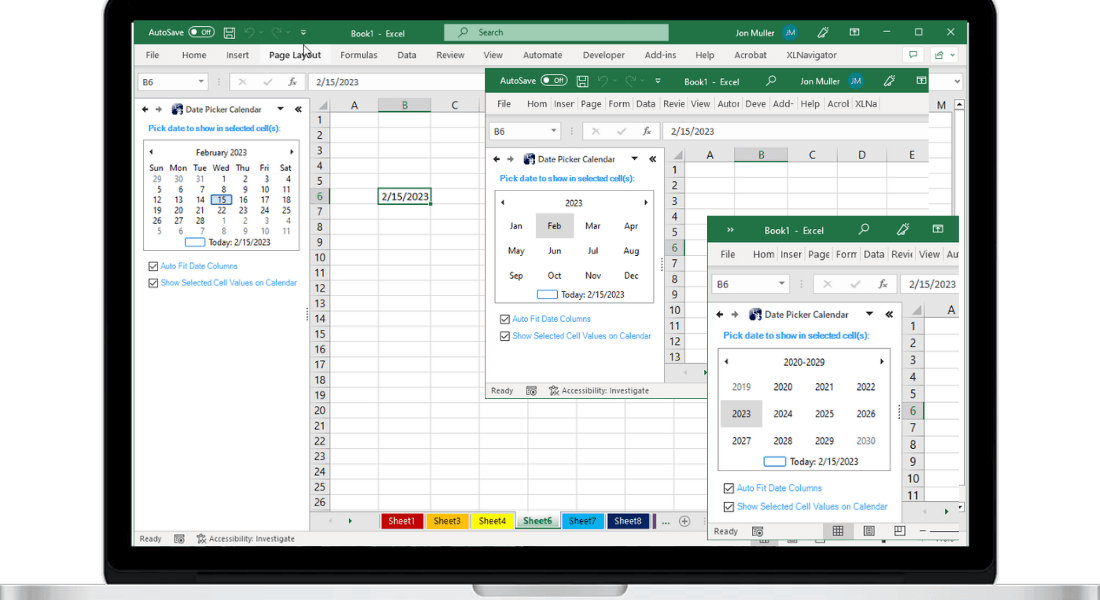
We're excited to announce the XLNavigator Date-Picker — a simple, lightweight Excel add-in that does one thing really well: lets you pick dates from a calendar instead of typing them.
It's the feature Excel should have had built-in for the past 20 years. Now you can have it.
The Problem
Every other application has a date picker. Web forms, mobile apps, desktop software — click a date field, a calendar pops up, pick your date. Done.
Excel? You type dates manually. “1/15/2025” or maybe “15/1/2025” depending on your locale. Hope you got the format right. Hope you didn't typo the year. Hope Excel interprets it as a date and not text.
It's 2025 and we're still typing dates like it's 1995.
The Solution
The XLNavigator Date-Picker adds a calendar popup to Excel. Click a cell, open the picker, select your date visually. The correct date value goes into the cell — properly formatted, no ambiguity.
That's it. No complicated setup. No macros. No VBA. Just a calendar when you need one.
Key Features
- Visual date selection — Click any date on the calendar to insert it into the active cell
- Date and time support — Pick dates only, or include time selection for complete timestamps
- Quick navigation — Jump to any month/year quickly with dropdown selectors
- Today button — One click to select today's date
- Respects your locale — Dates are inserted in your Excel's date format settings
- Keyboard shortcuts — Open the picker quickly without touching your mouse
Compatibility
The Date-Picker works with:
- Microsoft Excel 2007, 2010, 2013, 2016, 2019, 2021
- Microsoft 365 (Office 365)
- Windows 10 and Windows 11
It installs as a COM add-in and integrates directly into Excel's ribbon interface.
Why We Built This
I've spent years working with Excel professionally. Financial models, data analysis, reporting — dates are everywhere. And every time I had to type a date, I wondered why there wasn't just a calendar I could click.
Microsoft has added countless features to Excel over the years. AI assistance, collaboration tools, dynamic arrays. But a simple date picker? Still missing.
So I built one. It does exactly what you'd expect, exactly how you'd expect it to work. Nothing more, nothing less.
Enter Dates Faster with a Real Date Picker
Excel doesn't have a built-in date picker. XLNavigator adds a calendar popup that makes date entry fast and error-free.
Related Reading
- Why No Built-in Date Picker — the missing feature explained
- Date Shortcuts — keyboard shortcuts for dates
- Date Calculations — formulas for date math
Official Resources
- Insert date and time — Microsoft date entry guide
- Date formats — formatting dates
Want more Excel tips like this?
Get our free guide: 10 Excel Shortcuts Microsoft Doesn't Tell You About
Join 3,000+ Excel users boosting their productivity.